

Estimated reading time: 4 minutes
When schedules change and plans need to keep up
A Calendar Planner usecase: Education, programme, and community organisations operate on schedules that are constantly evolving. Academic calendars shift. Events move. Programmes adjust. Availability changes. Planning fails when views don’t reflect reality. The problem is not maintaining dates; those are already tracked for operational reasons. The problem is that published views fall behind, and confidence in shared schedules erodes.
How Calendar Planner fits
Calendar Planner does not introduce a “master calendar” or require teams to adopt a new way of scheduling. Instead, it reflects the SharePoint lists that are already being maintained. When a date changes in the list, the planning view updates immediately. There is nothing to republish, no export to redo, and no additional maintenance. Multiple views such as grid, month, and timeline layouts allow different audiences to understand the same information in a way that suits them, without maintaining separate versions.
Why this feels low risk
What this enables
Calendar Planner stays in step with reality because it does not own the data but reflects it.
This pattern fits naturally within universities, schools, training providers, and non-profit organisations that already depend on SharePoint for coordination.
An education scenario (FREE Edition)
A university department needs a central view of key academic dates and capital programme milestones, without editing or managing events from the calendar itself.
A simple annual view for academic planning
In many education environments, the priority is clarity rather than complex planning tools. Academic leaders and programme teams need to understand how the year is shaped, not manage another system.
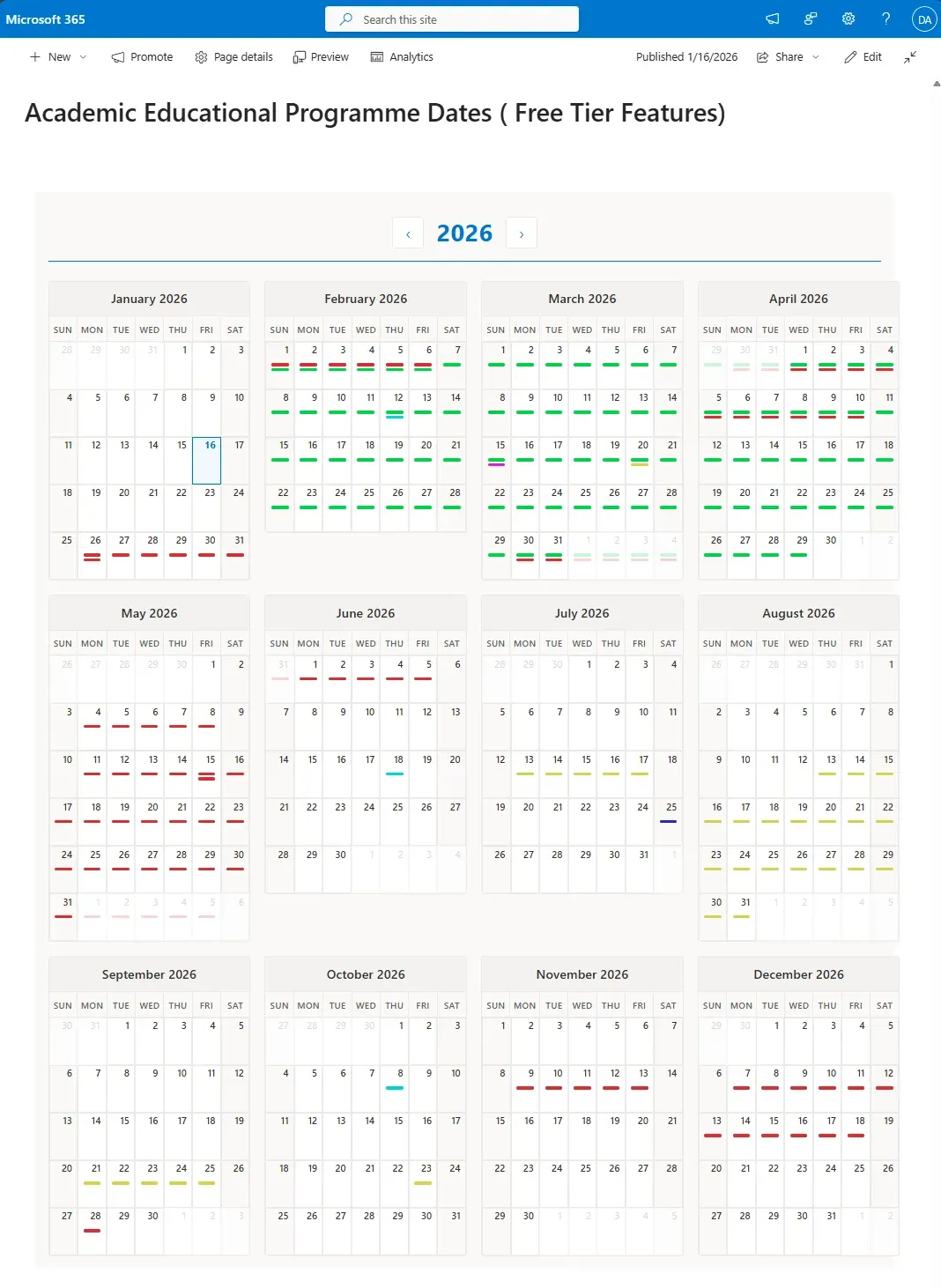
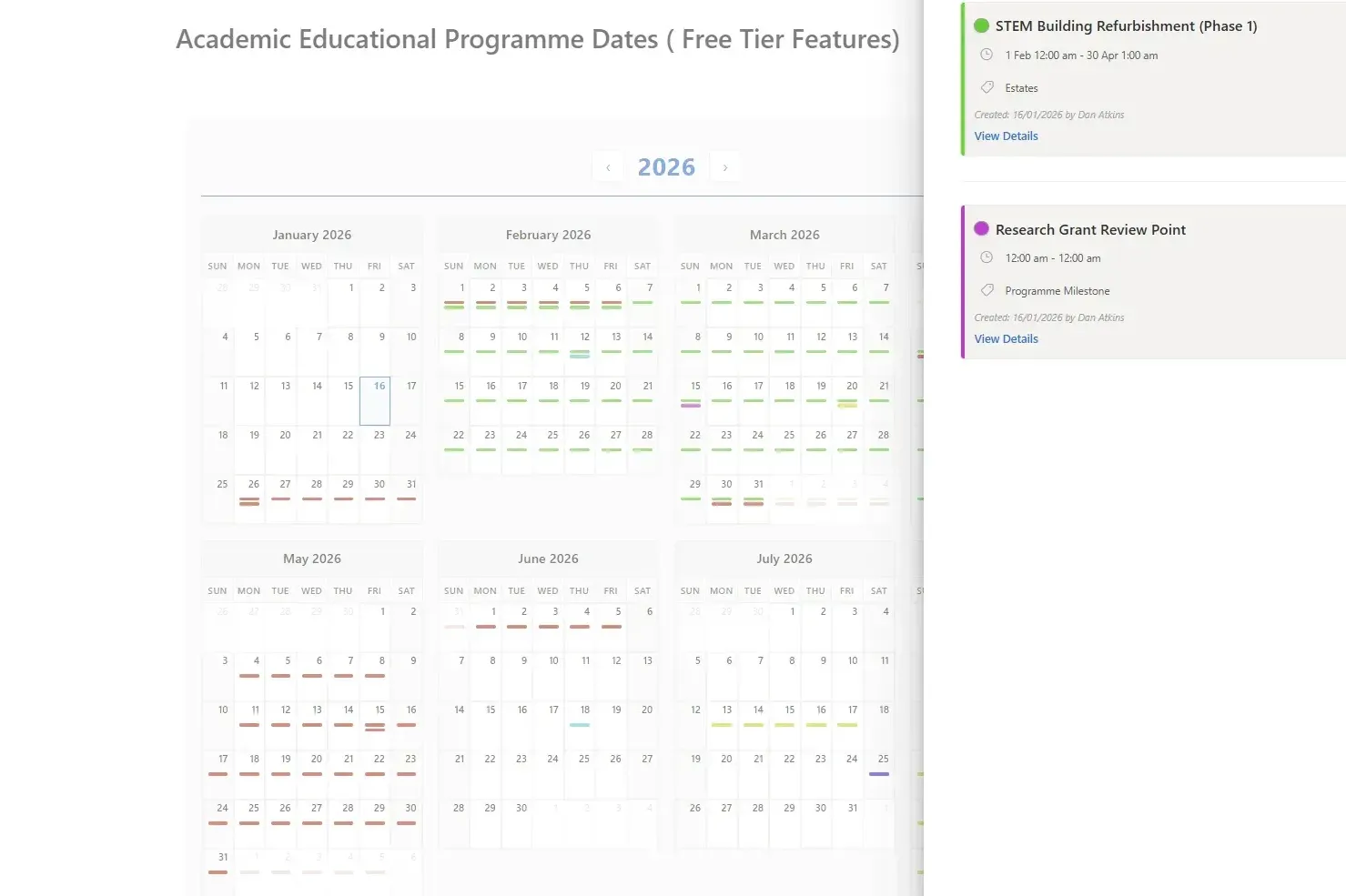
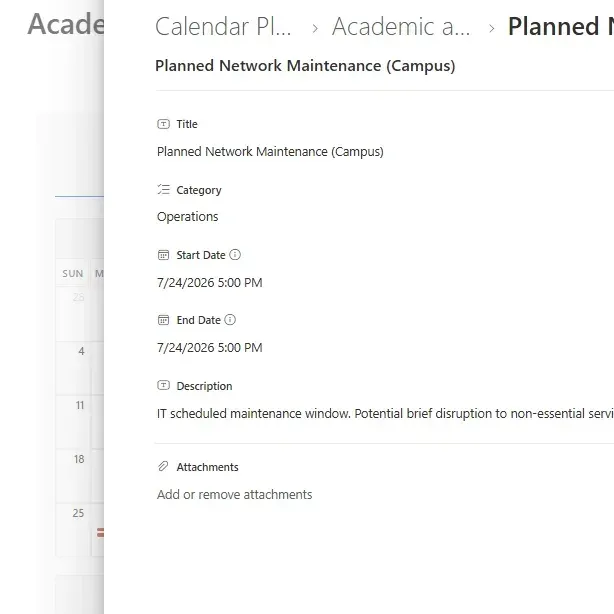
With the Free Calendar Planner tier, teams can see a single, shared annual view of key dates such as semester starts, programme milestones, open days and governance meetings. The information is shown directly from existing SharePoint lists, without introducing new systems or duplicating data.
The Year Grid view provides a clear picture of the year and the main commitments across programmes, embedded in a SharePoint page that teams already use.
Calendar Planner does not try to replace how organisations plan. It quietly improves how existing planning information is seen. There is no new system to manage, no data migration, and no lock-in. If it’s removed, nothing breaks. That’s why it fits naturally into organisations that value stability, governance, and gradual improvement.
Calendar Planner for SharePoint
Year Grid View
Full annual calendar overview.
SharePoint Pages
Deploy on any SharePoint site.
Event Viewing
All events at a glance.
Get Calendar Planner Free Edition
Get started with essential calendar visualisation – no cost, no commitment.
The dates already moved. Has your calendar noticed?
Calendar Planner reads the SharePoint lists your teams already maintain, so the published view changes when the dates do. Nothing to republish, and nothing breaks if you take it away again.