

Booking Planner for SharePoint Web Part
Visual desk & room booking, directly inside SharePoint See real availability, select desks or rooms visually, and book in seconds
No spreadsheets, no guesswork.
COMING SOON
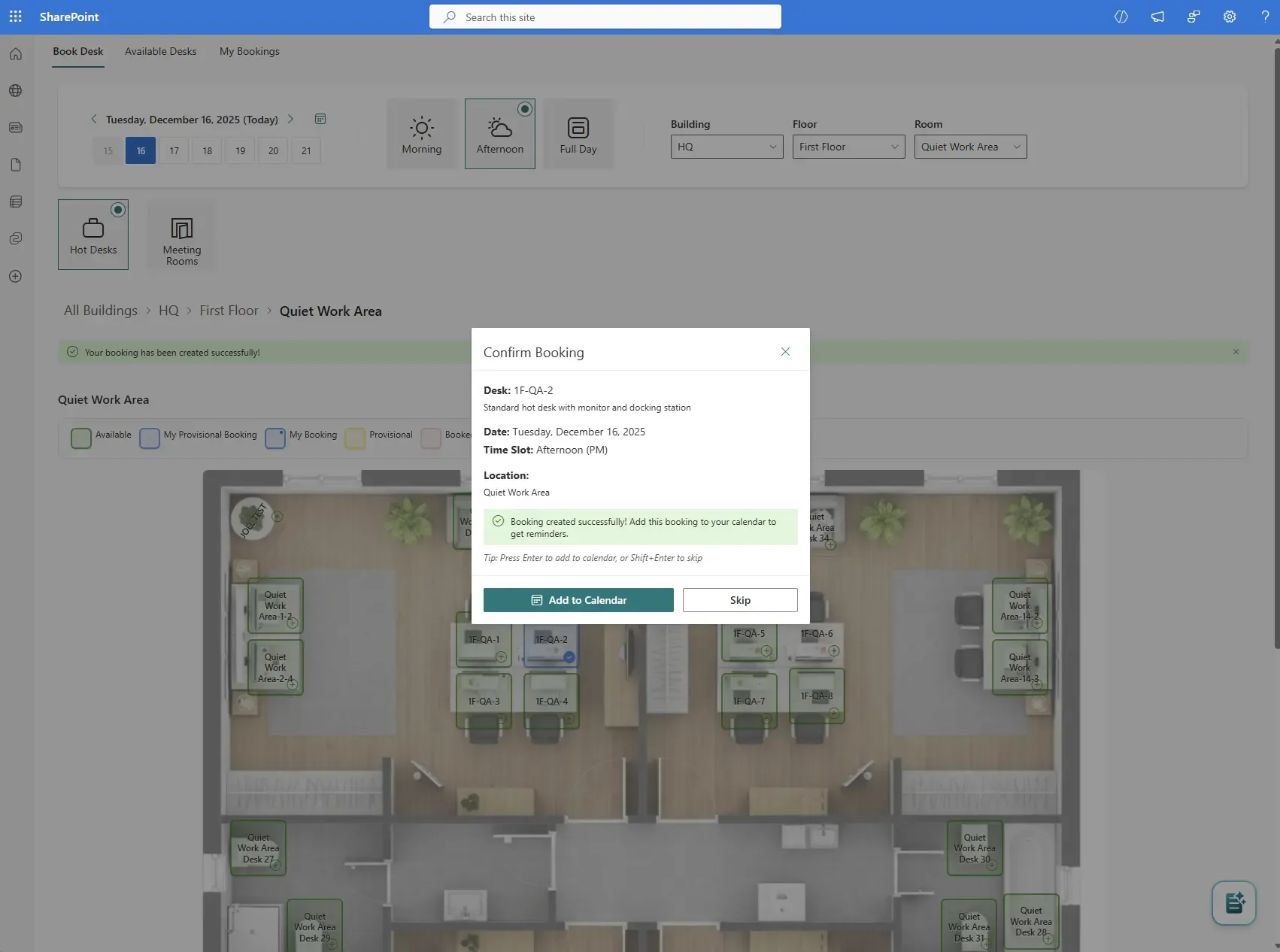
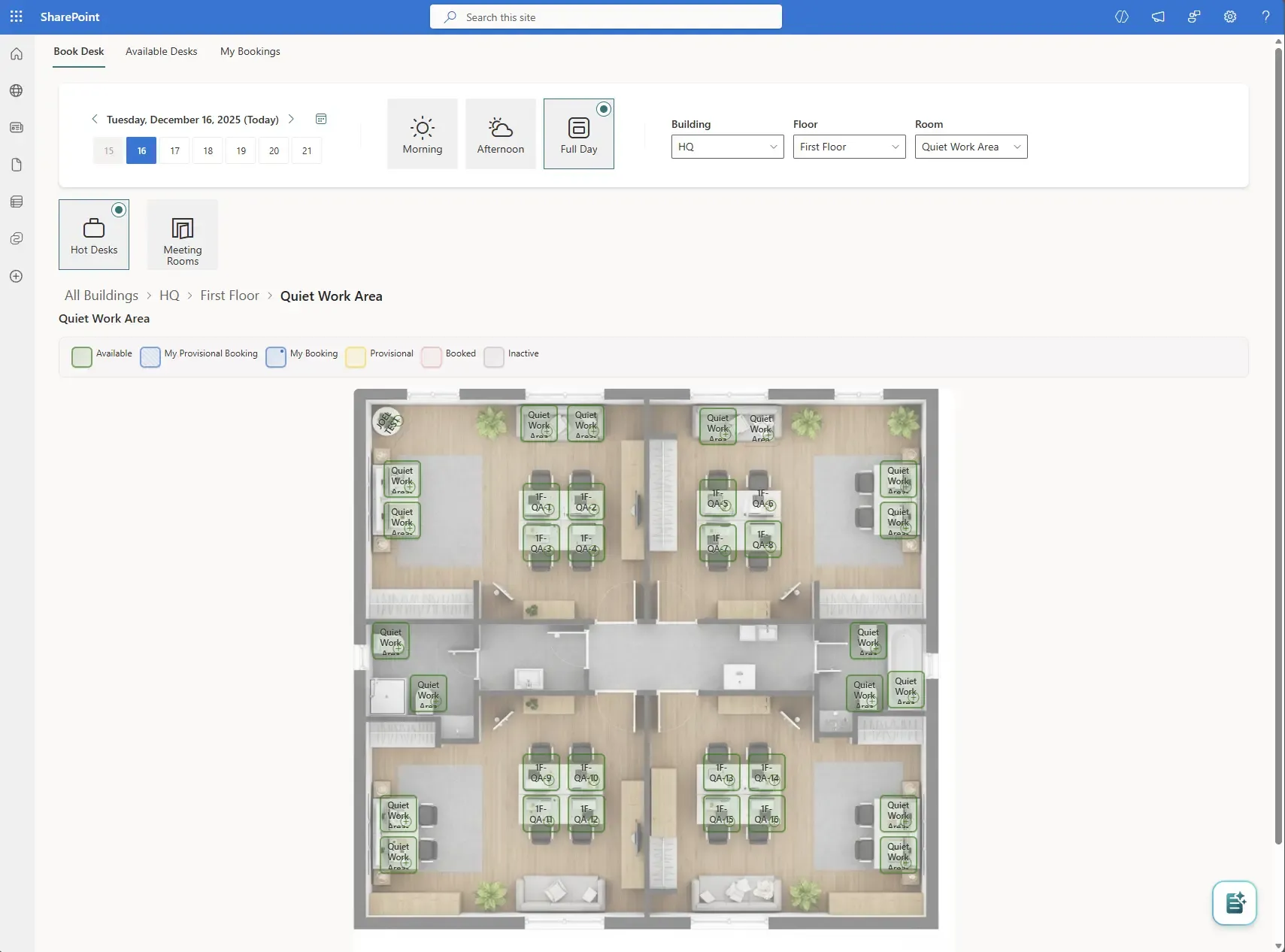
Core User Experience — Booking a Desk
Book desks in seconds
Confirm desk, date, time slot, and location in a single step. With optional calendar integration.
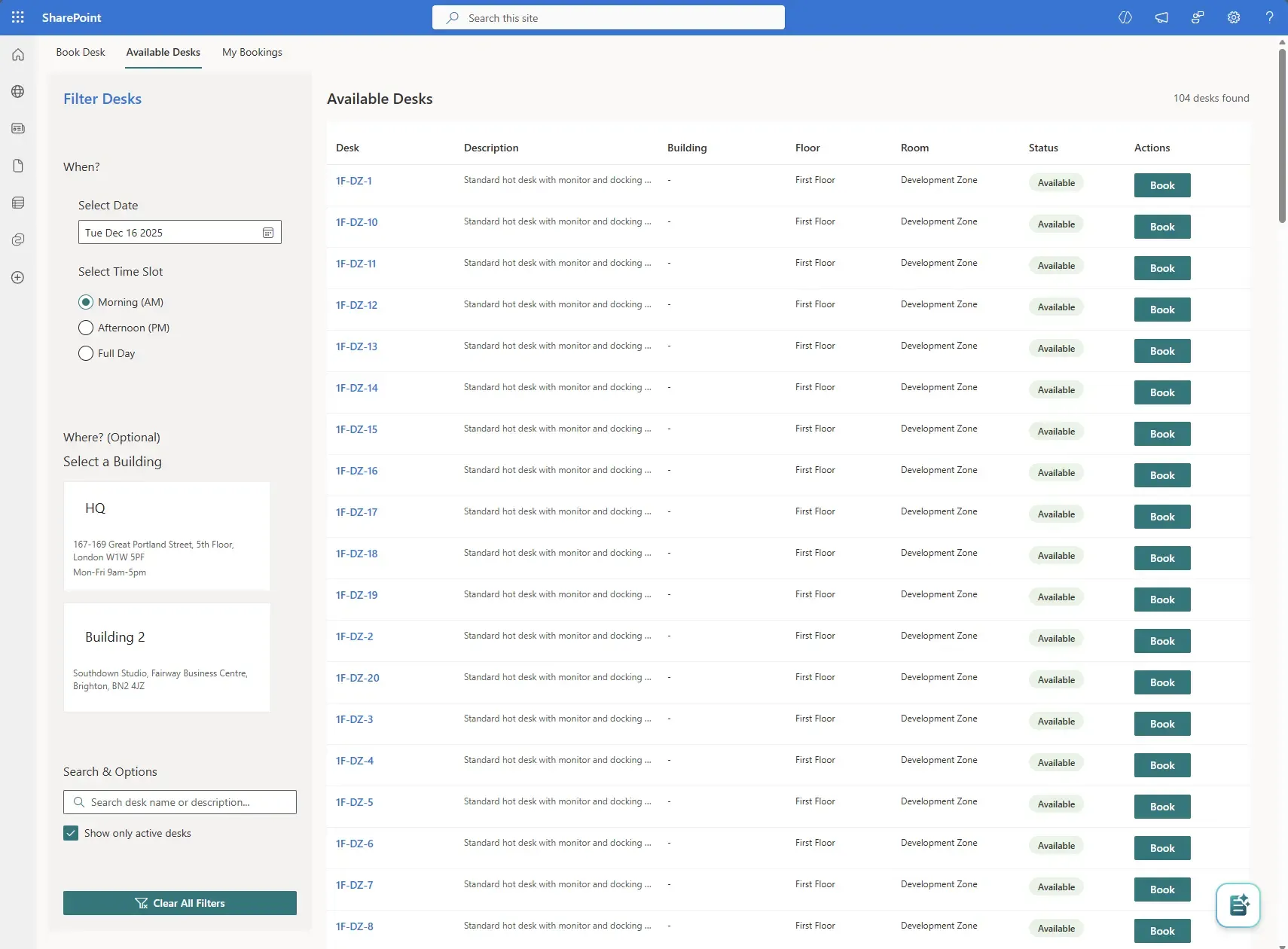
Alternative View — List-Based Booking
Flexible booking views to suit every user
Users can book from a visual floor plan or a structured list view, depending on how they prefer to work.
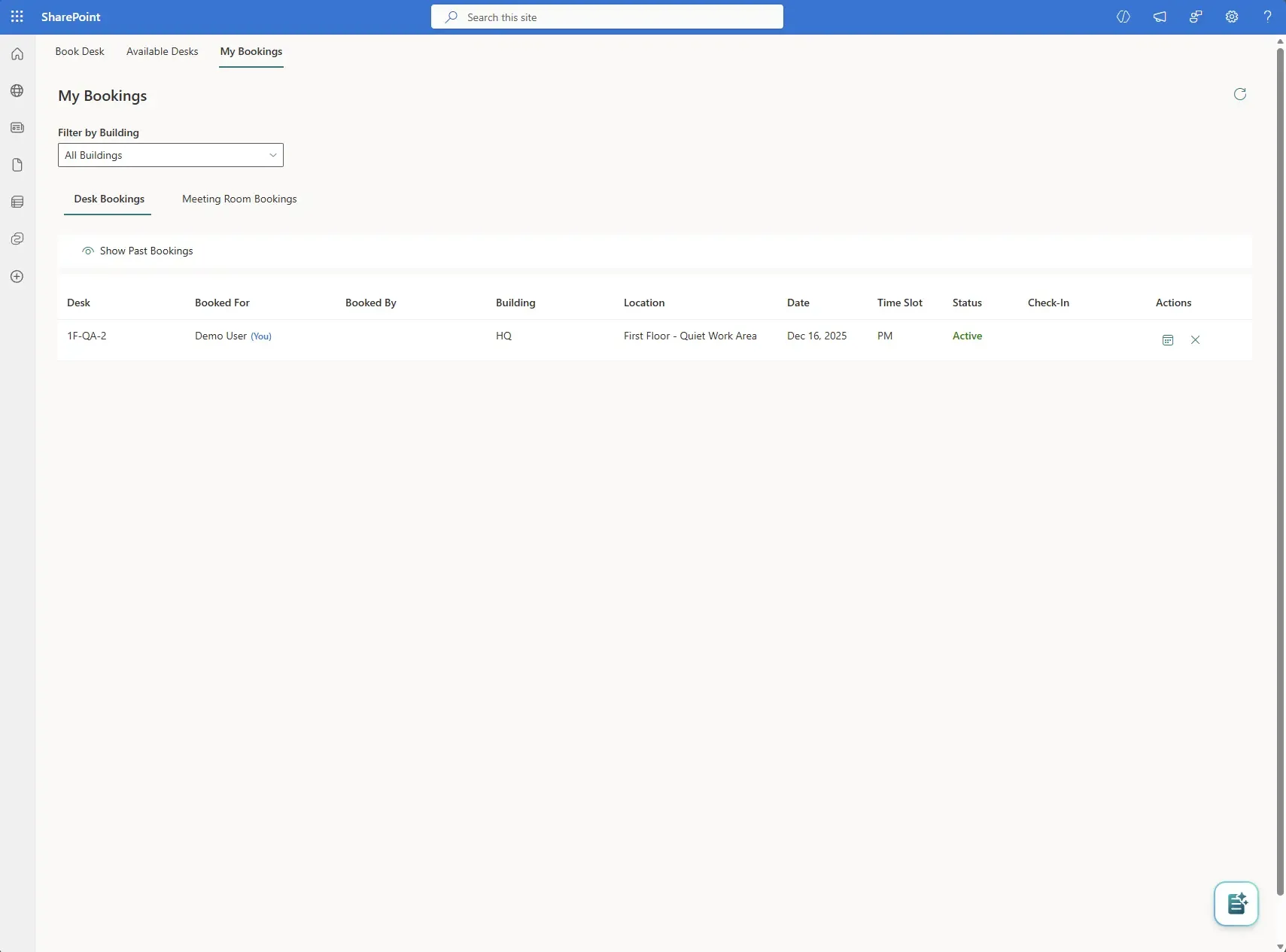
Personal Control — My Bookings
Full visibility of your bookings
Attendees can view, manage, and cancel their desk or meeting room bookings from a single place.
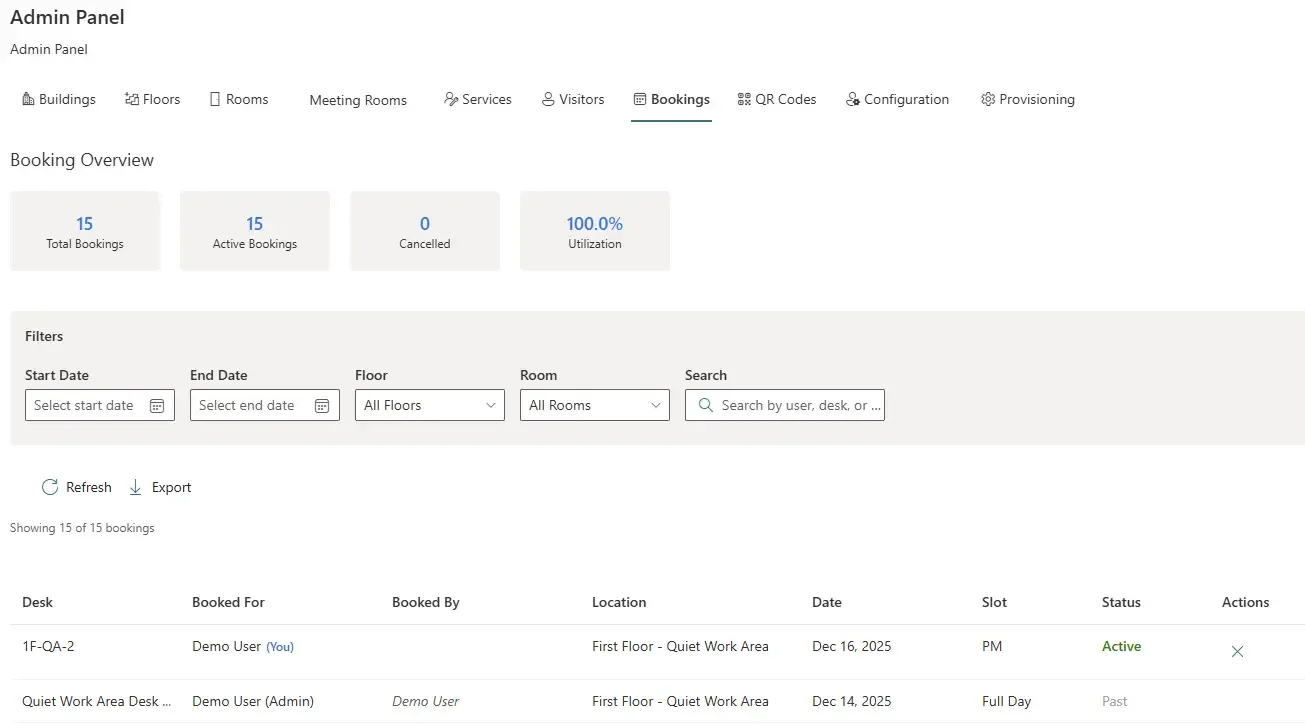
Administration & Governance — Admin Panel Overview
Built for workplace and IT teams
Administrators get full visibility into bookings, utilisation, and trends. With filtering and export capabilities.
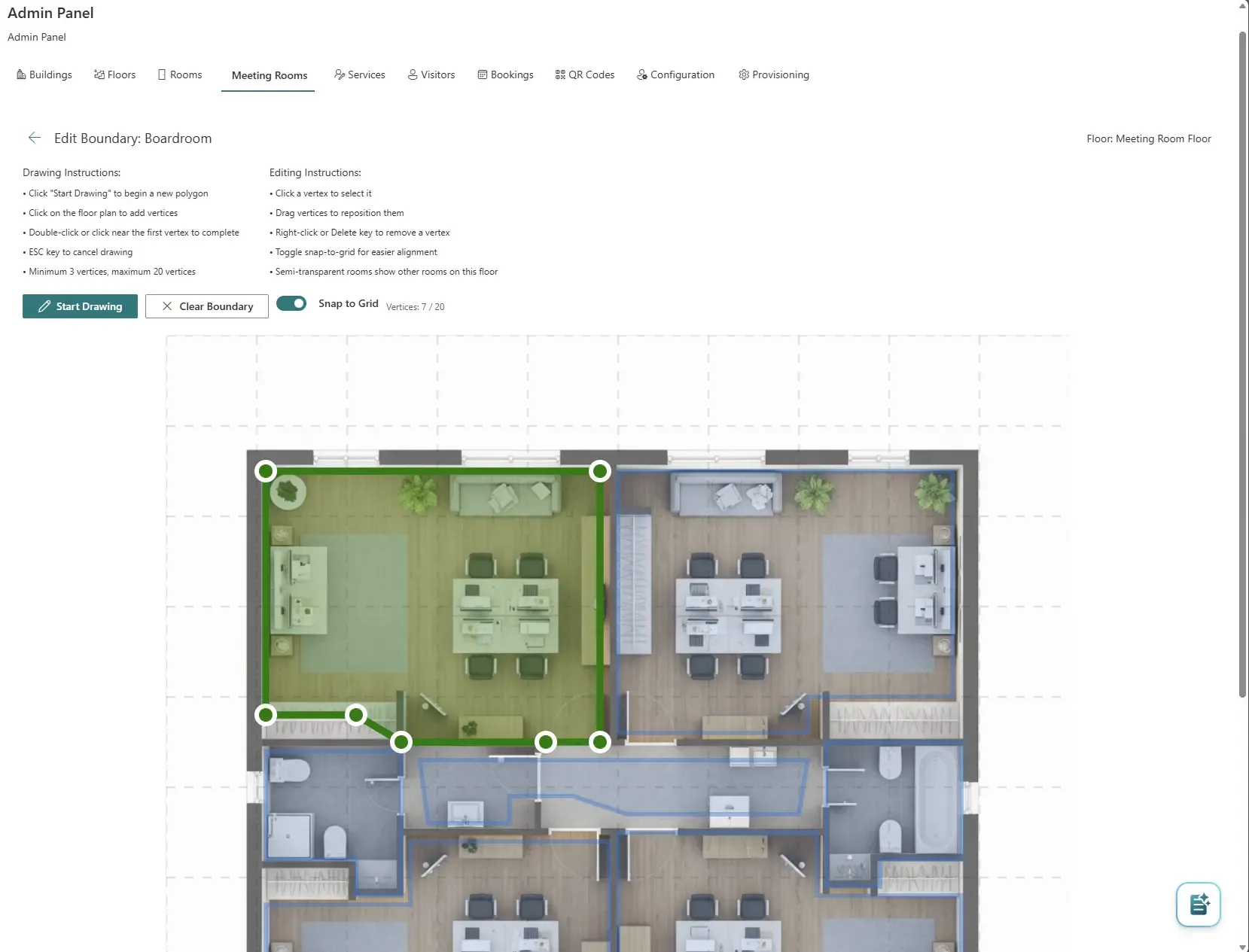
Workspace Configuration — Floor Plan Setup
Configure real spaces, visually
Define rooms, zones, and desk areas directly on floor plans using intuitive drawing tools.
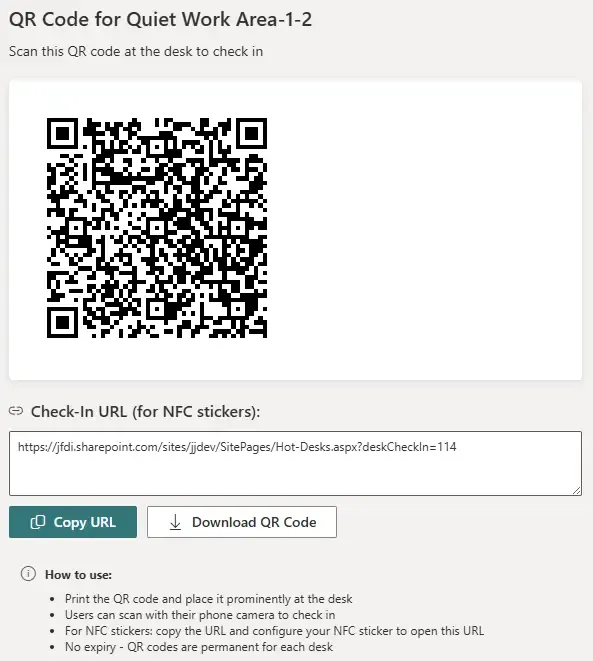
Advanced Capability — QR Code Desk Check-In
Contactless desk check-in with QR codes
Generate permanent QR codes for desks to support quick check-in, NFC stickers, and utilisation tracking.
Why Booking Planner?
A better way to find, book, and manage desks and meeting rooms
Traditional workplace booking approaches are fragmented via the use of spreadsheets, emails, or disconnected apps. Booking Planner changes that by offering a modern, interactive, floor-plan driven experience directly inside SharePoint.
Users can see availability, make reservations, and understand their workspace at a glance, all while staying within Microsoft 365 security and governance.
EnquireFeatures
How It Works
1. Install
2. Add
3. Configure
4. Set Rules
5. Book
Built for Teams & Organisations
Pricing
Booking Planner Standalone
TBC /pcm (+VAT) – 1 x Web Part for SharePoint/Teams (Per Tenancy)
JFDI Web Parts Bundle
£799/pcm (+VAT) – All 12 JFDI Web Parts for SharePoint/Teams
Frequently Asked Questions
Related Products & Services
Calendar Planner
A modern, multi-view calendar and planning tool for Microsoft 365 and SharePoint Online.
AutoTag
An automation feature to apply metadata to items or documents across SharePoint Online and SharePoint Server.
Branded Intranet
Caburn Hope is a group of intelligent and performance-driven communication experts based in Lewes.
Looking for other SharePoint solutions?
Over the years, JFDI has produced a wealth of solutions for SharePoint Server and Online. Many are available for individual or bundled purchases.