

Discover how Calendar Planner enterprise visualises project timelines for better insight without changing your current workflow.
Estimated reading time: 5 minutes
Understanding how plans interact over time
A Calendar Planner usecase: Large organisations don't lack plans. They lack visibility. In most large organisations, planning information already lives in SharePoint. Initiatives, milestones, delivery windows, maintenance periods, and regulatory dates are tracked in lists that teams already own and maintain. The challenge is not creating plans, it's seeing them together. Senior leaders ask for a view of the year. Teams respond with spreadsheets, slides, or manually assembled timelines that are out of date almost immediately. As soon as reality changes, the view becomes unreliable.
How Calendar Planner Fits
Calendar Planner does not replace existing planning processes or introduce a new system. It simply visualises existing SharePoint list data across time. By reading dates that teams already maintain, Calendar Planner presents a clear, visual view of activity across the year. As lists are updated, the view updates automatically. There is no duplication, no synchronisation, and no additional system to keep in step with reality. Different calendar and timeline views allow the same data to be viewed at different levels, from a high-level annual overview to detailed timelines, without changing how teams work.
In larger organisations, this often means visualising multiple SharePoint lists together: operational plans, regulatory schedules, governance cycles, and communications activity, without consolidating or restructuring them. Calendar Planner overlays these timelines into a single planning surface, while ownership and governance remain exactly where they are today.
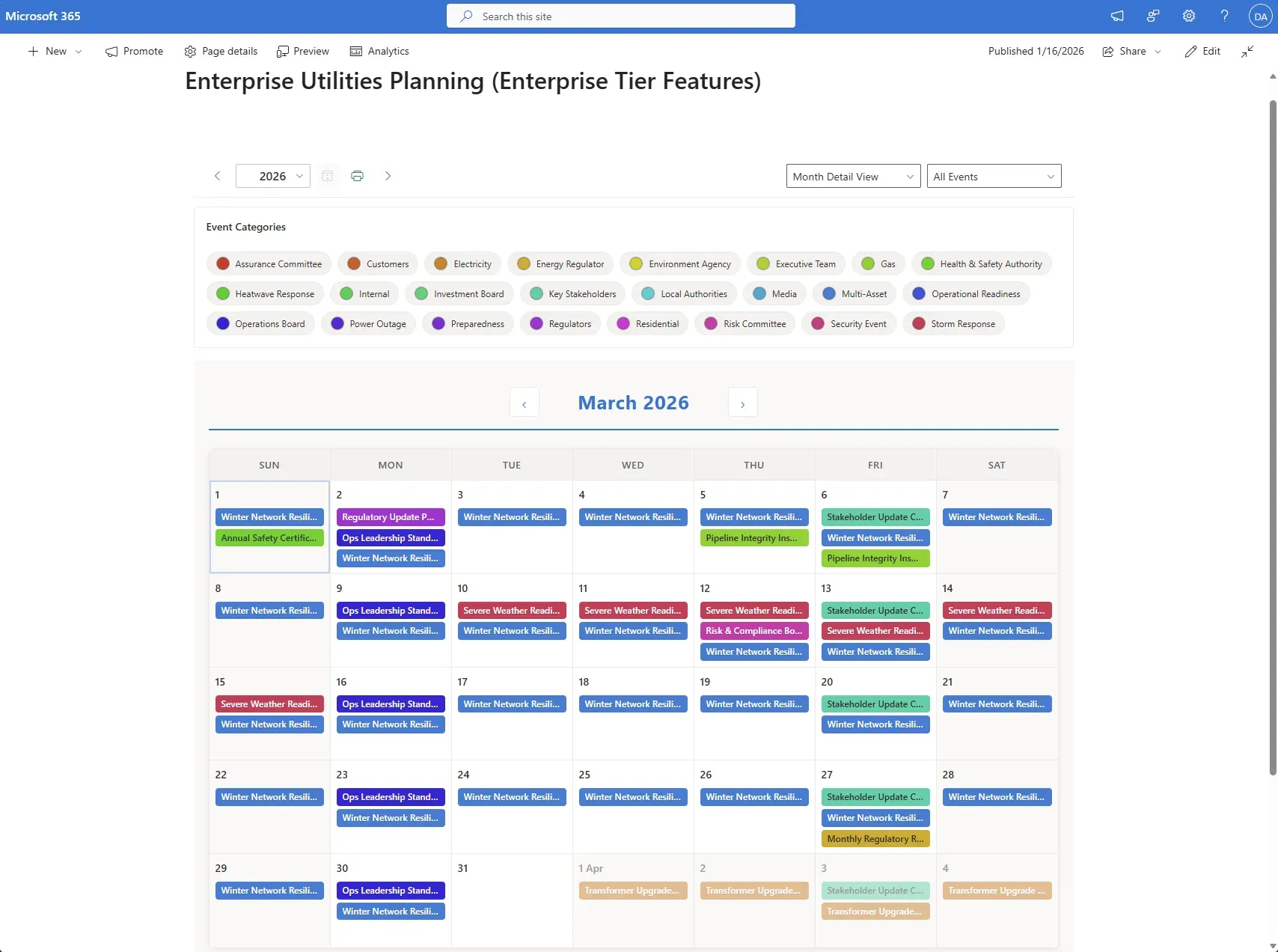
This screenshot illustrates filtering of event categories from all overlaid calendars
Why This Feels Low Risk
What This Enables
This approach works particularly well for large enterprises, utilities, infrastructure providers, and public-sector organisations that already rely on SharePoint as a system of record.
Large organisations scenario (Enterprise Edition)
A large utilities organisation needs visibility across operational, regulatory and governance plans, without consolidating them into a new planning system.
Understanding how plans interact over time
In large organisations, planning information already exists across many teams. Maintenance schedules, regulatory deadlines, governance cycles and communications activity are all tracked, but they are rarely seen together.
The challenge is not a lack of planning, but a lack of visibility into how different plans overlap and interact across time.
With the Enterprise Calendar Planner tier, organisations can visualise multiple SharePoint based schedules together in a single view. This makes overlaps, sequencing issues and pressure points easier to see, while leaving ownership and governance of each plan exactly where it is today.
This approach supports coordination and oversight without introducing a parallel planning system or changing how teams already work.
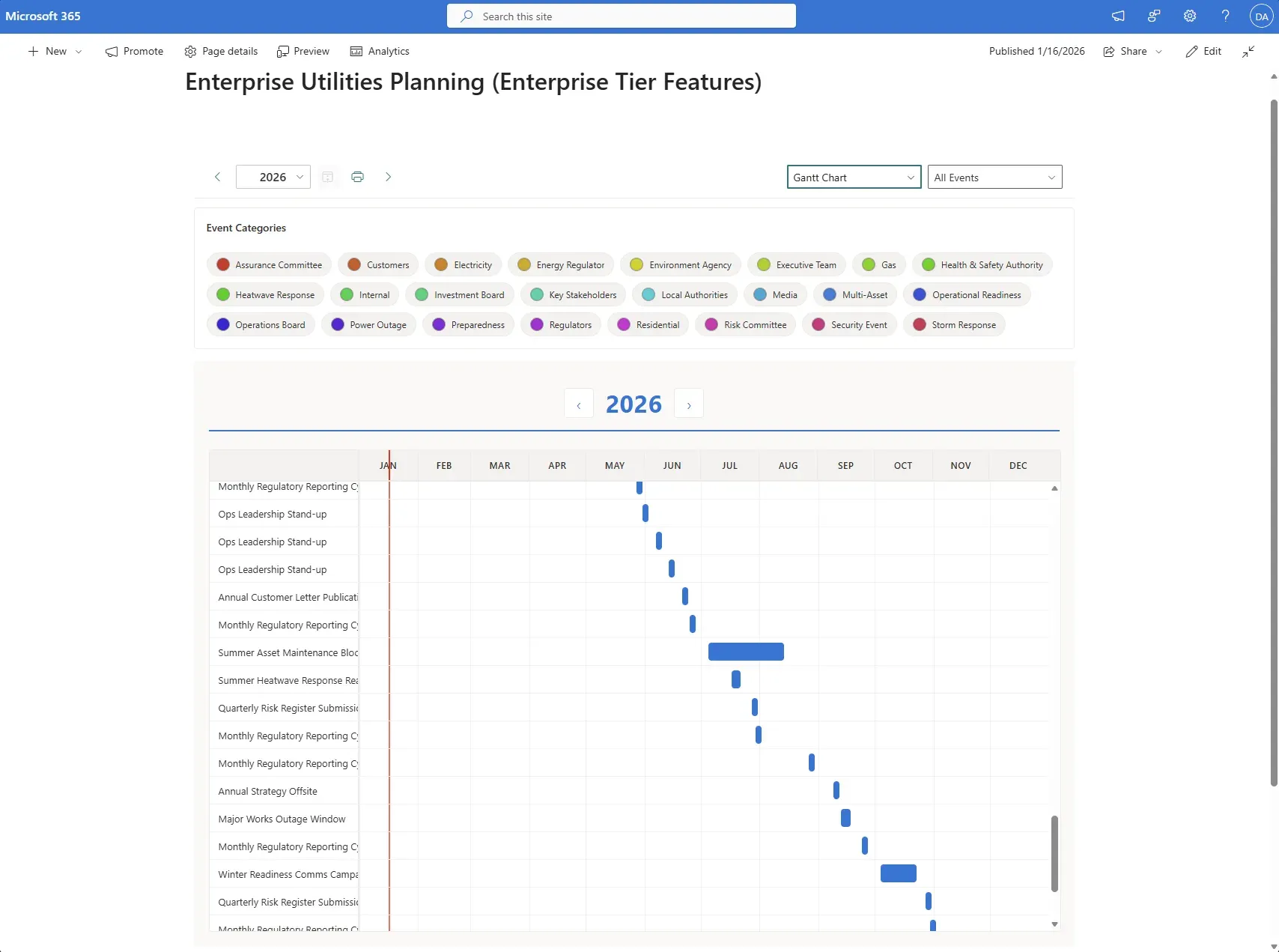
The Enterprise Edition has Gantt chart view
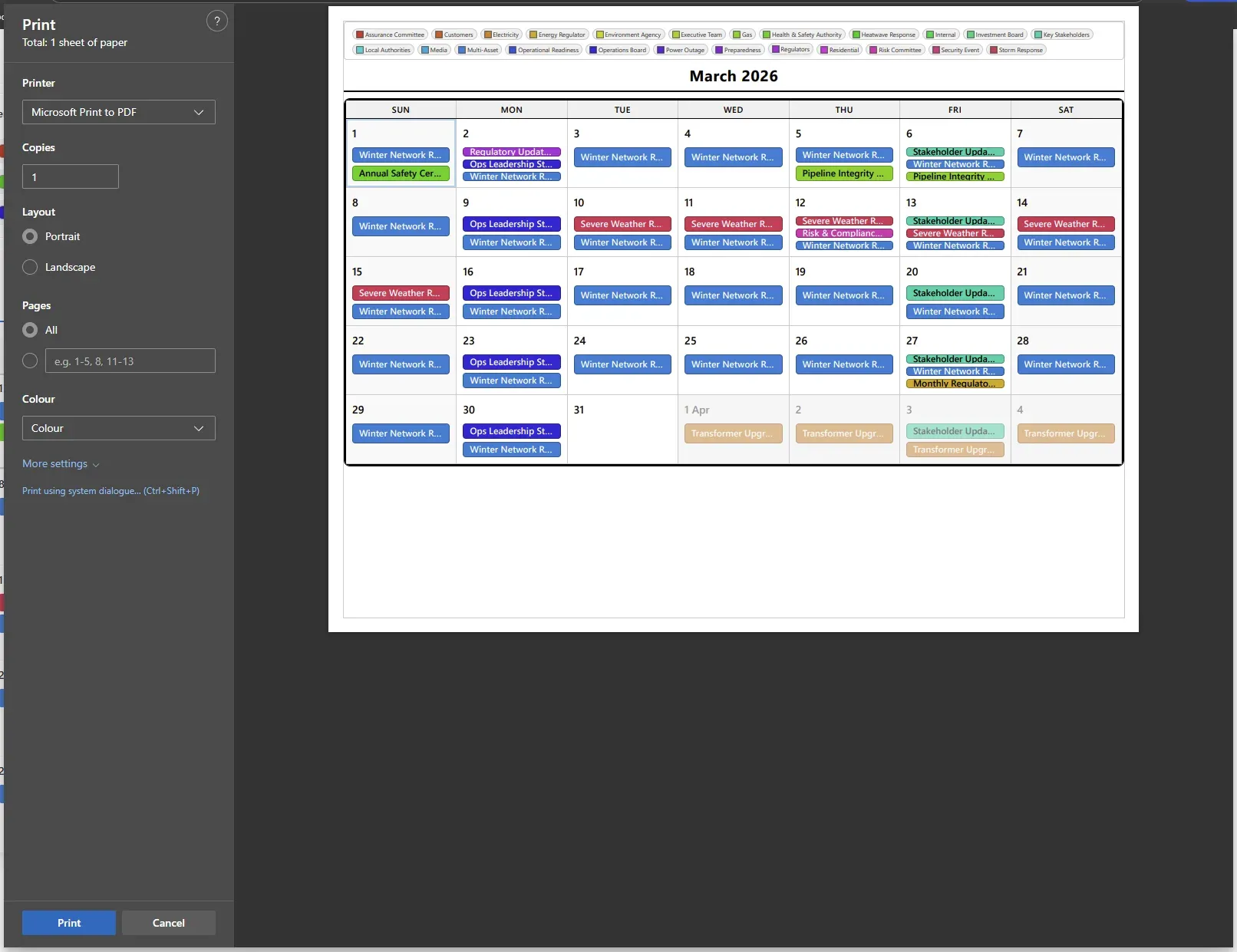
Prepare your calendar for printing or saving as a PDF
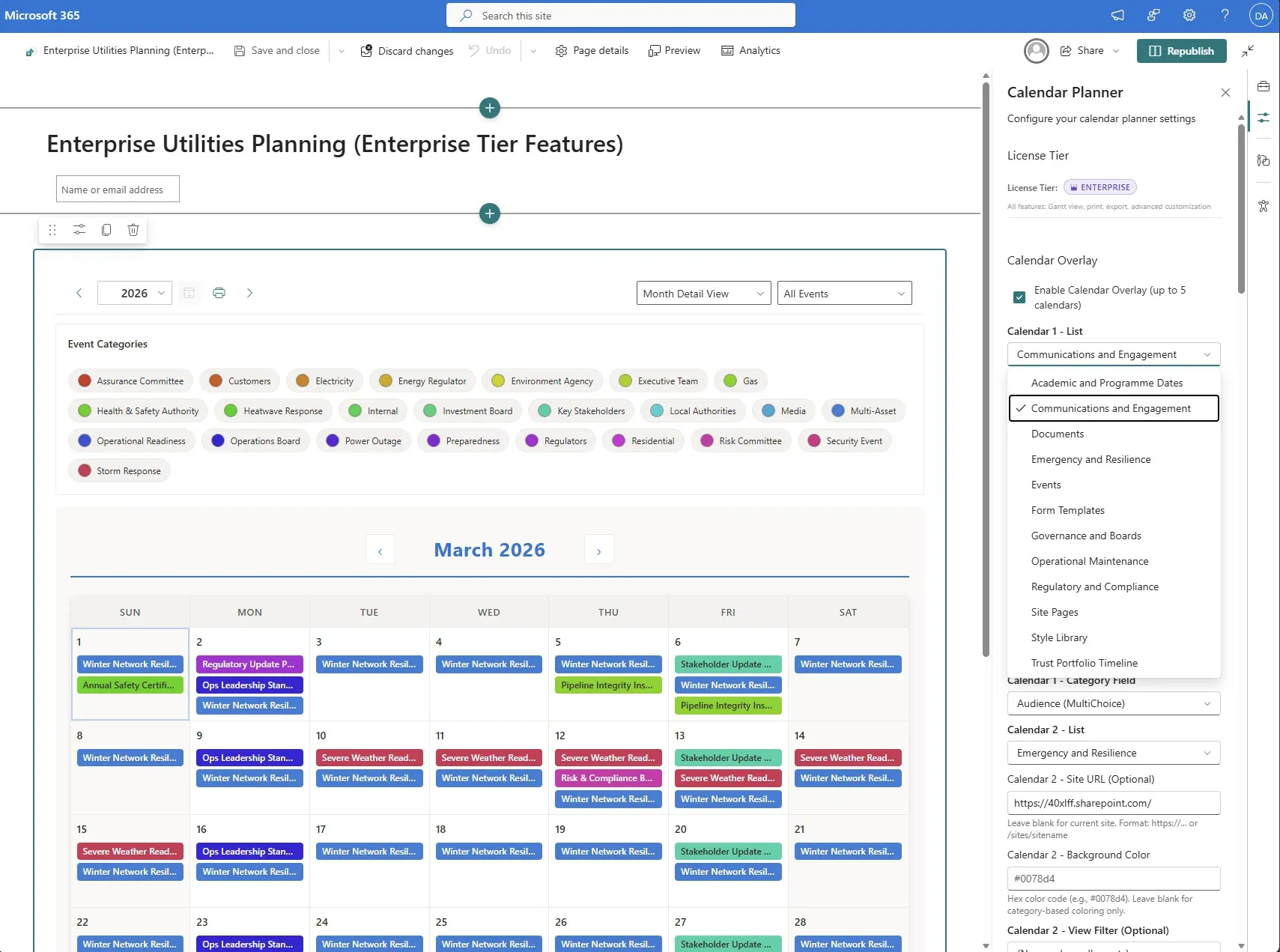
Overlay several calendars to handle complex scenarios
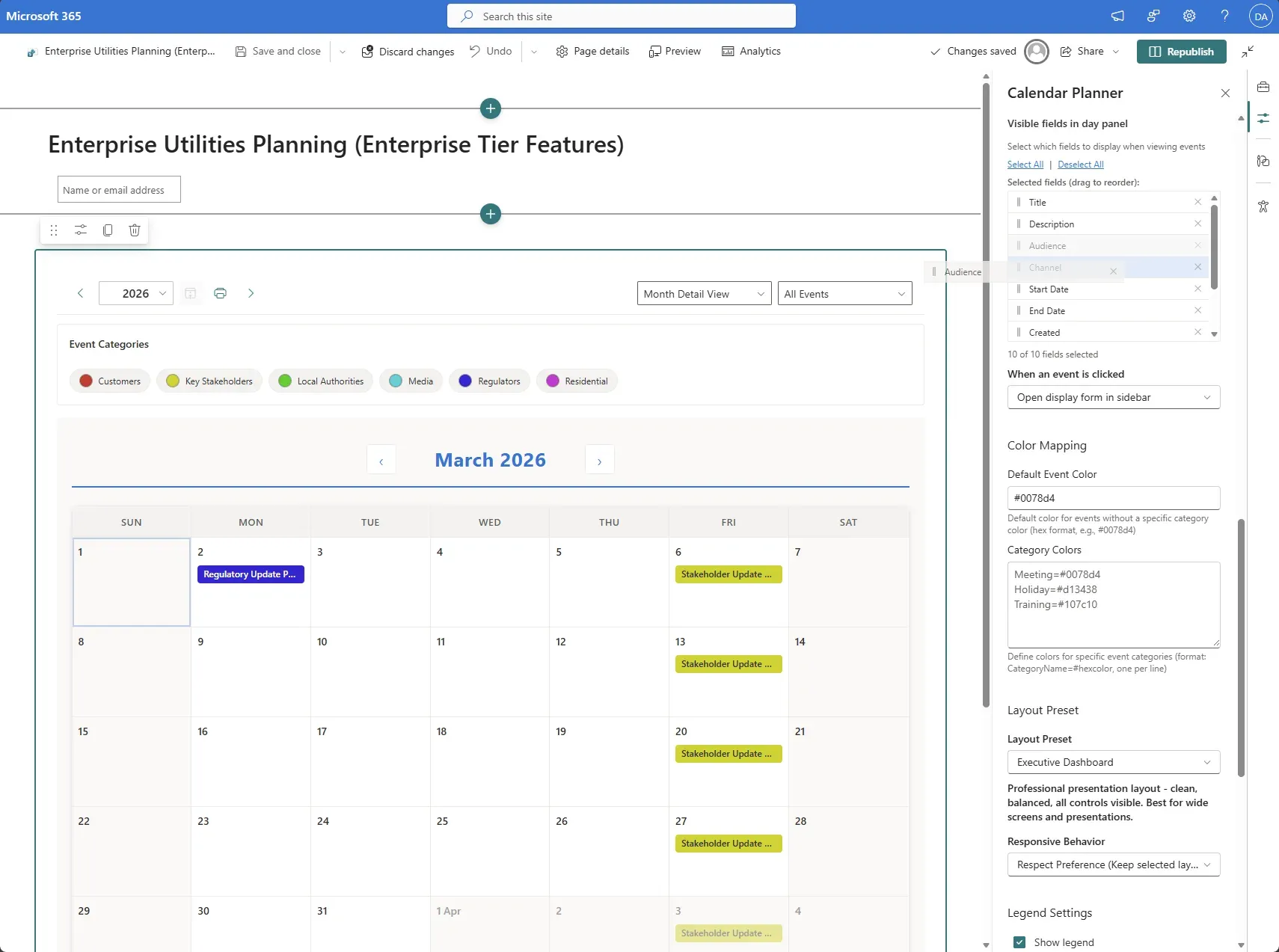
Customise how Calendar Planner display list items
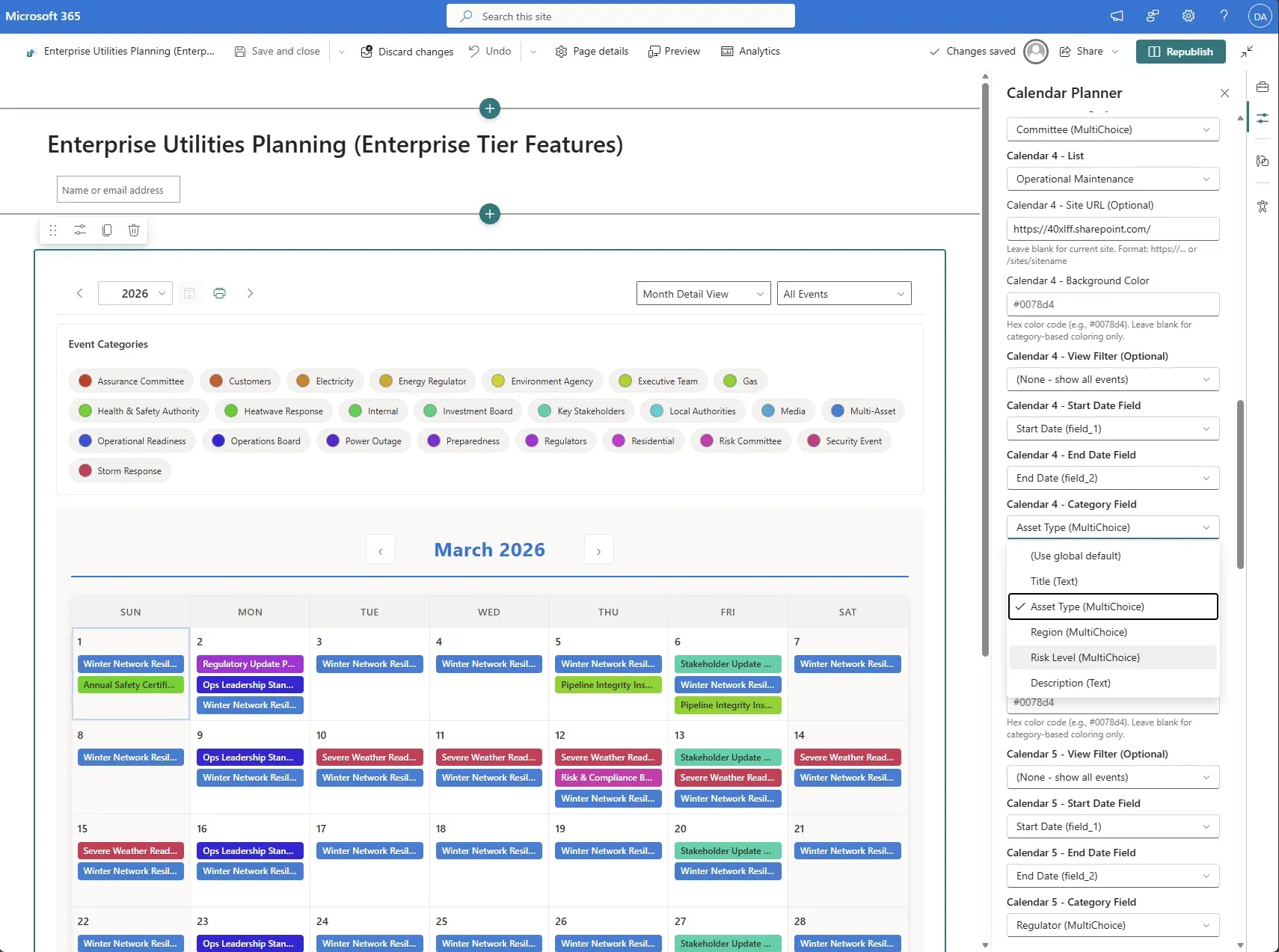
Display all items from different lists on the same calendar view
Calendar Planner does not try to replace how organisations plan. It quietly improves how existing planning information is seen. There is no new system to manage, no data migration, and no lock-in. If it's removed, nothing breaks. That's why it fits naturally into organisations that value stability, governance, and gradual improvement.
Calendar Planner for SharePoint -- Enterprise Edition
Get Calendar Planner Enterprise Edition
Everything in Standard, plus advanced capabilities for large organisations -- from £5.31 per user.